I recently switched my domain name, so I decided to take some notes to help everyone easily set up their own GitHub Pages custom domain.
Step 1: Purchase a Domain
First, purchase the domain name you want. I bought mine from Google Domains. If you have a preferred domain registrar, feel free to use that. This guide uses Google Domains as an example.
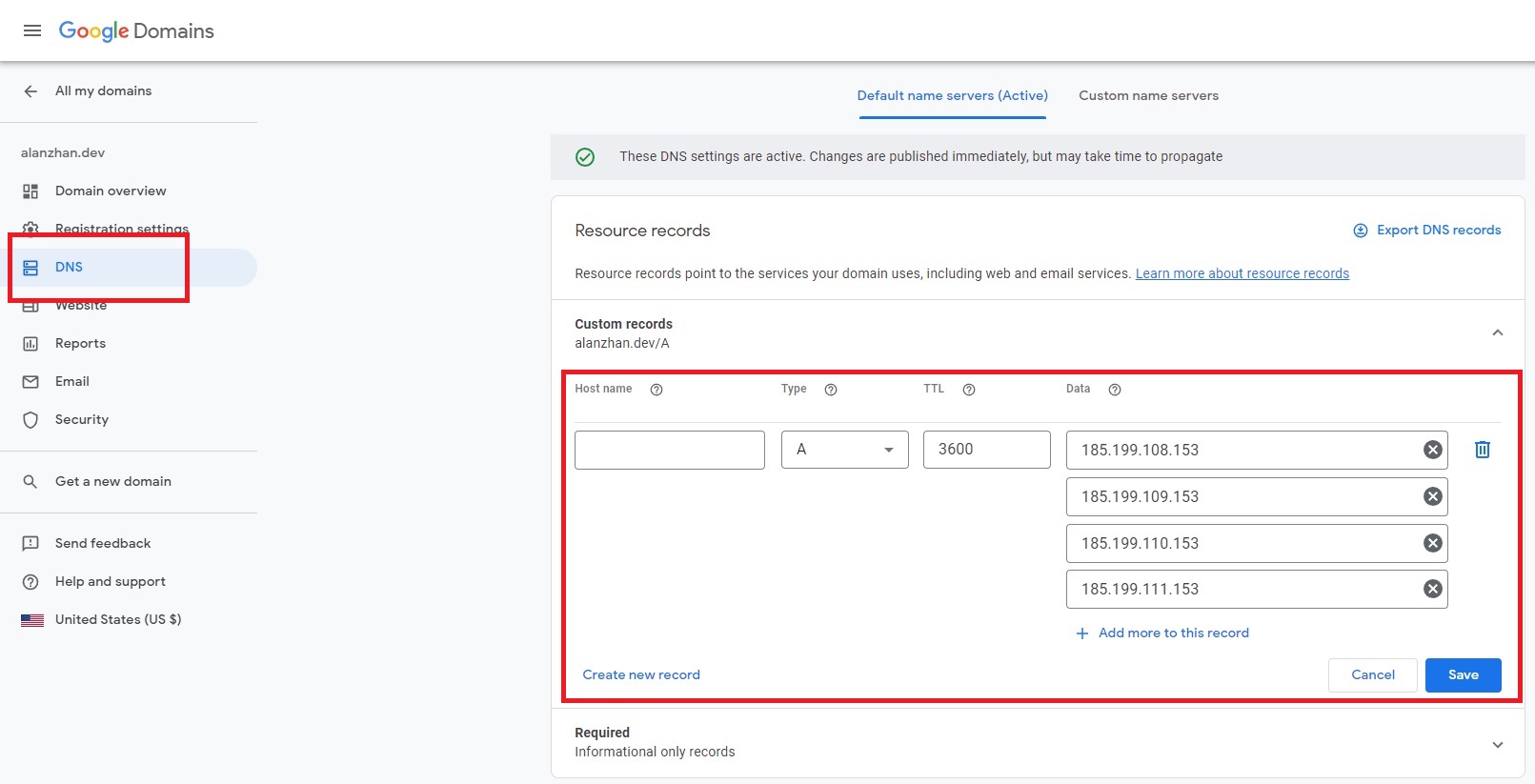
Step 2: Add a CNAME Record in DNS Settings
After purchasing the domain, you need to configure the DNS settings. Follow the diagram below to set things up.
Step 3: Configure GitHub Pages
Go to your GitHub repository settings and configure your domain.
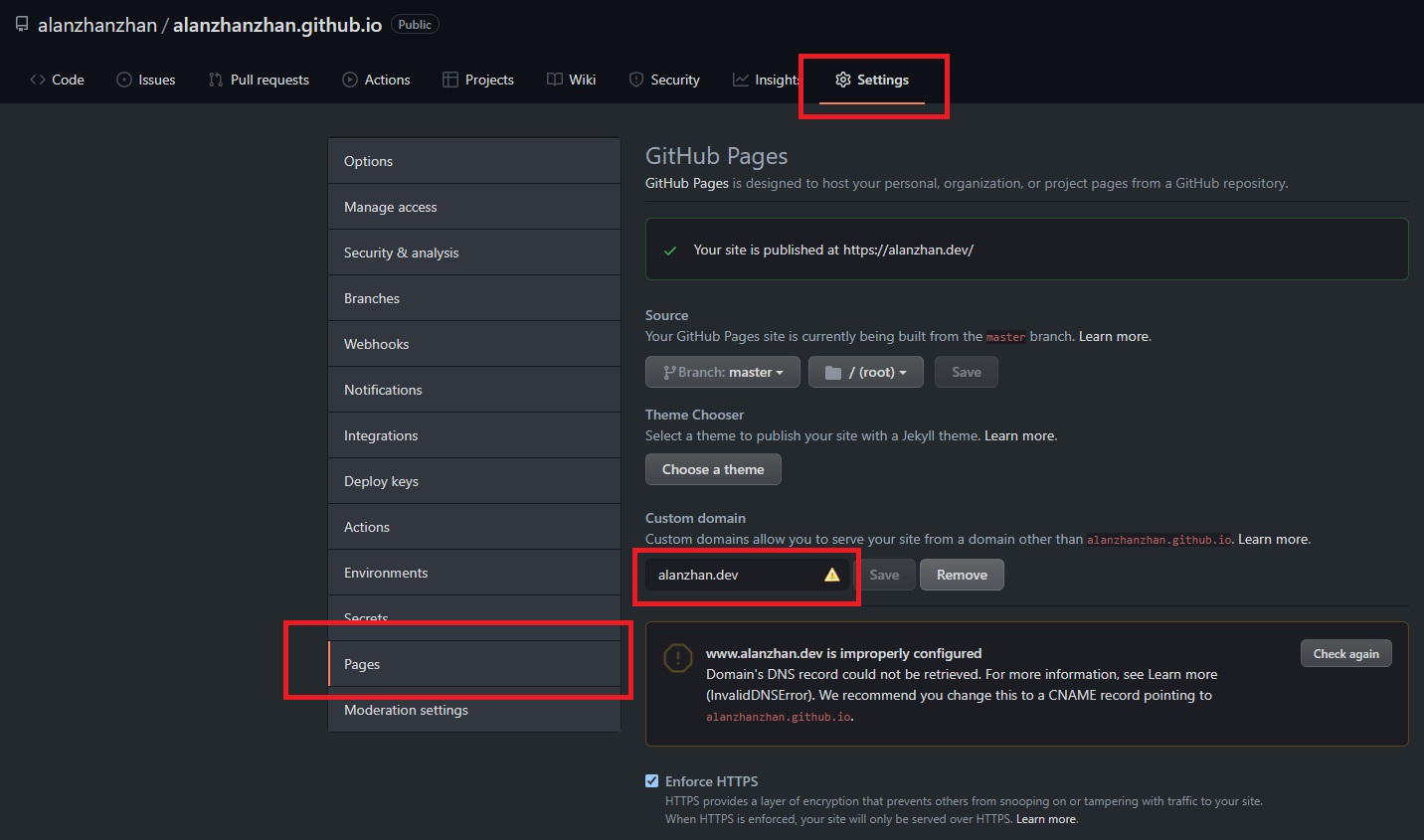
After the configuration is complete, you’ll notice a file named CNAME in your repository, containing your domain.
alanzhan.dev
Step 4: Wait
Wait for the DNS records to propagate and take effect!
And that’s it — you’re all set!
Feel free to leave a comment on my blog. Your feedback motivates me to keep writing. Thank you for reading, and let’s grow together to become better versions of ourselves.